See what fills your phone and free up space

Tersio is a storage cleaner and file manager for Android. It shows what takes up your phone’s storage and helps you free it. You review every item before it goes.

Coming soon to Google Play

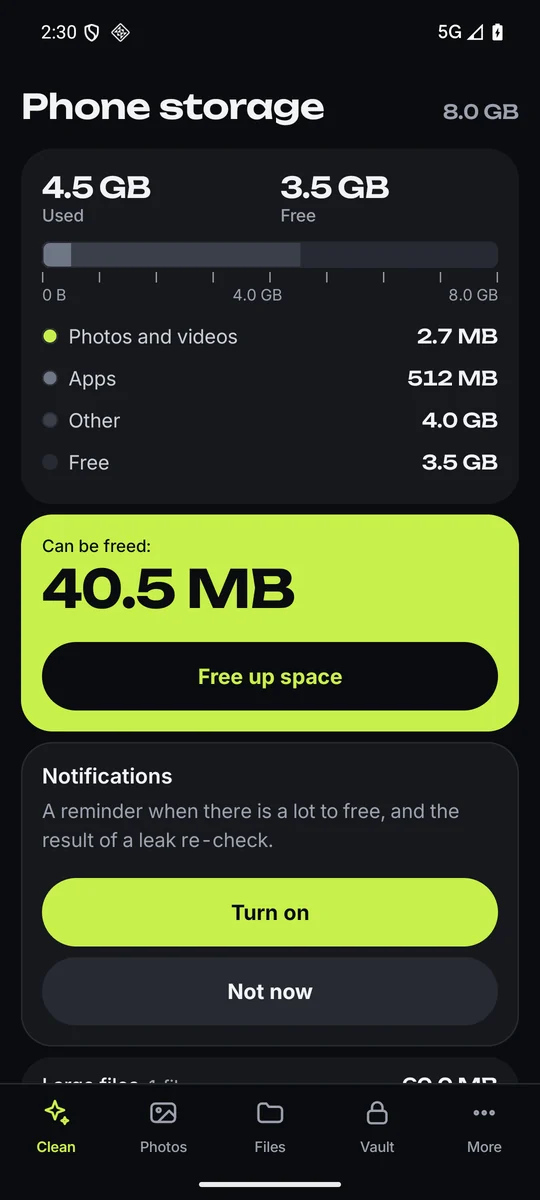
The Clean tab: phone storage with used and free space, a storage bar split into photos and videos, apps, other and free, and a lime tile “Can be freed” with the button Free up space.
  • Photos and videos
  • Apps
  • Other
  • Free

Inside the app

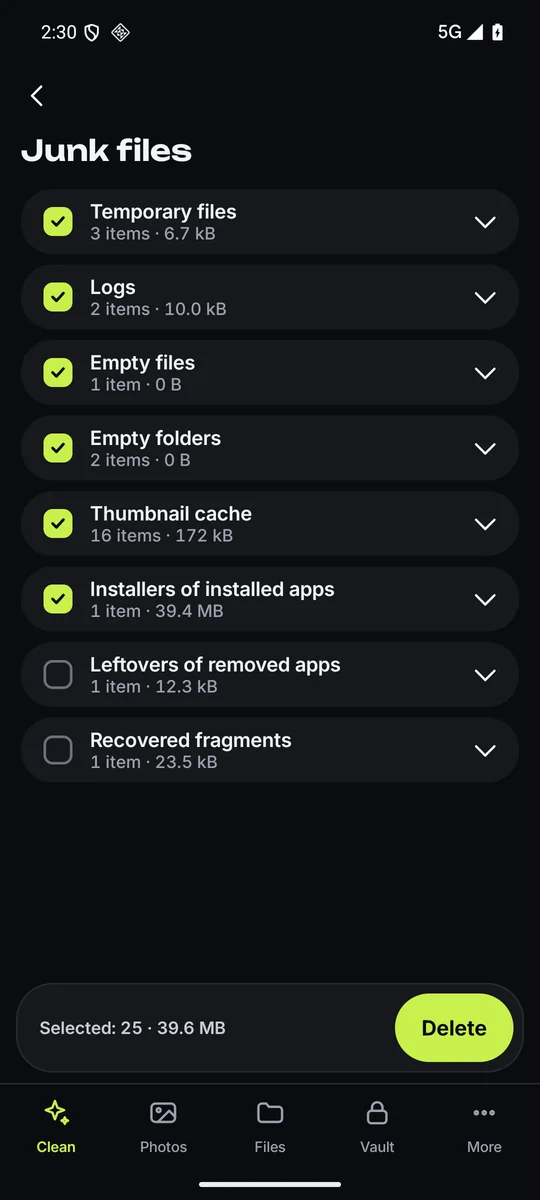
Junk files: temporary files, logs, empty files and folders, thumbnail cache and installers of installed apps, each with its size, and a Delete button for the selected items.
Junk files to review
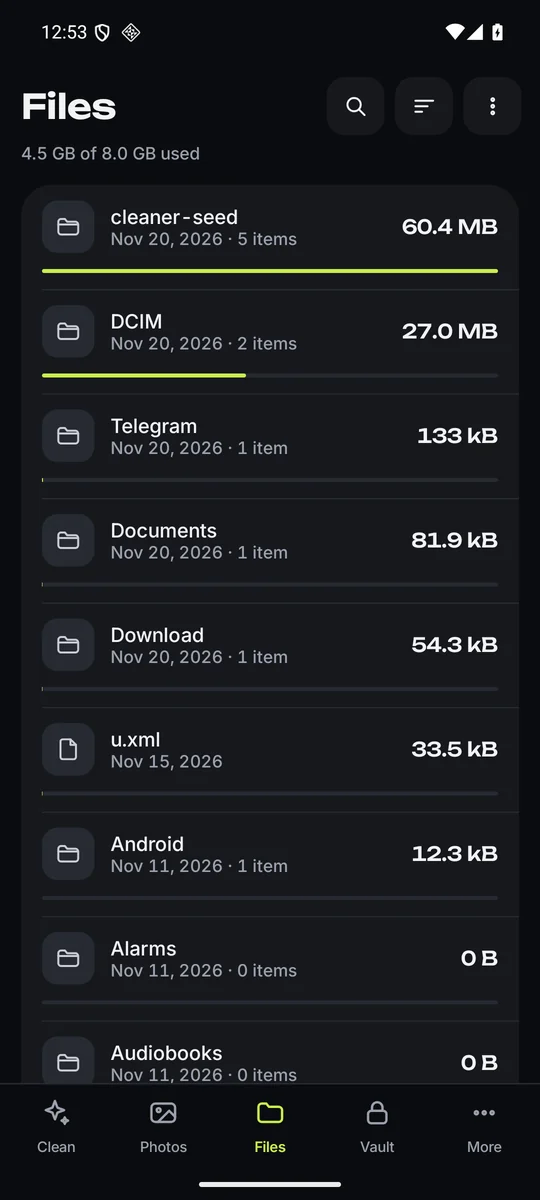
The Files tab: folders of internal storage with their sizes and dates, sorted by size.
Folders sorted by size
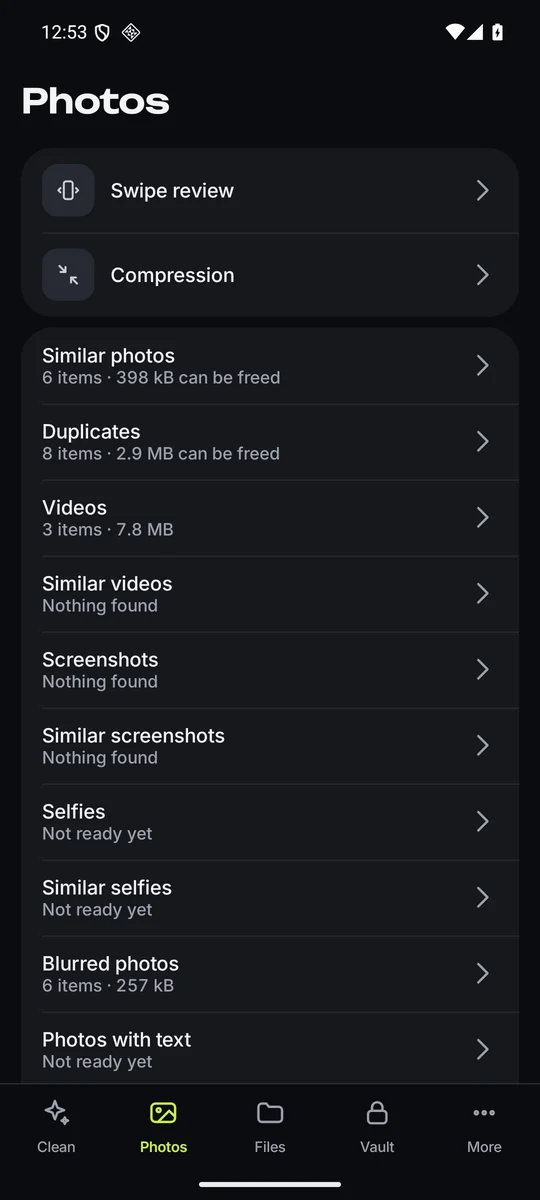
The Photos tab: swipe review, compression, and categories such as similar photos, duplicates, videos, screenshots and blurred photos.
Photo and video categories
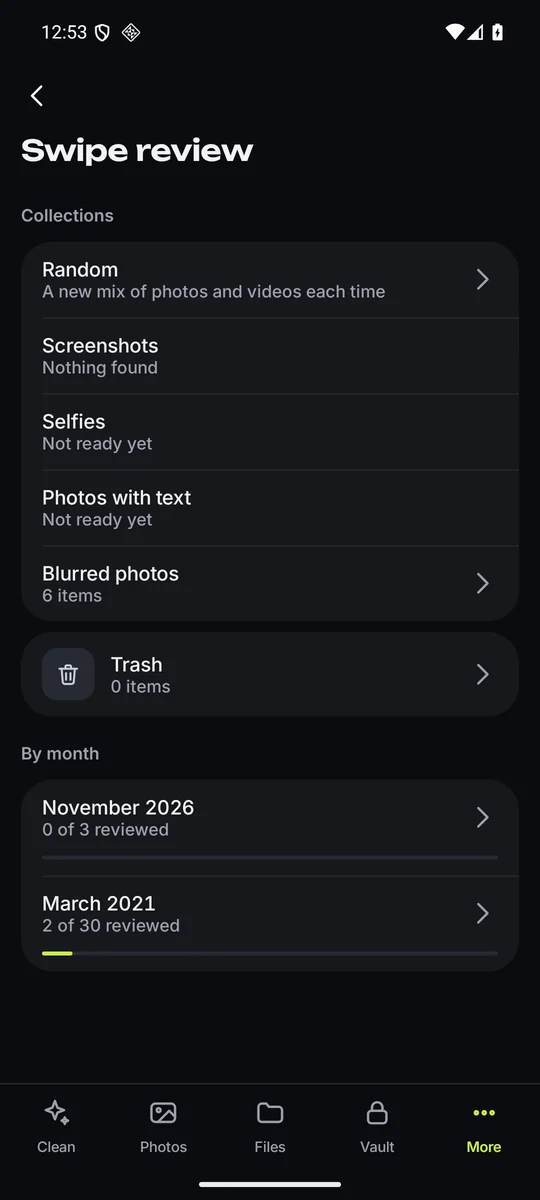
Swipe review: collections such as random, screenshots and blurred photos, the trash, and months with how many items were reviewed.
Swipe review by collection or month
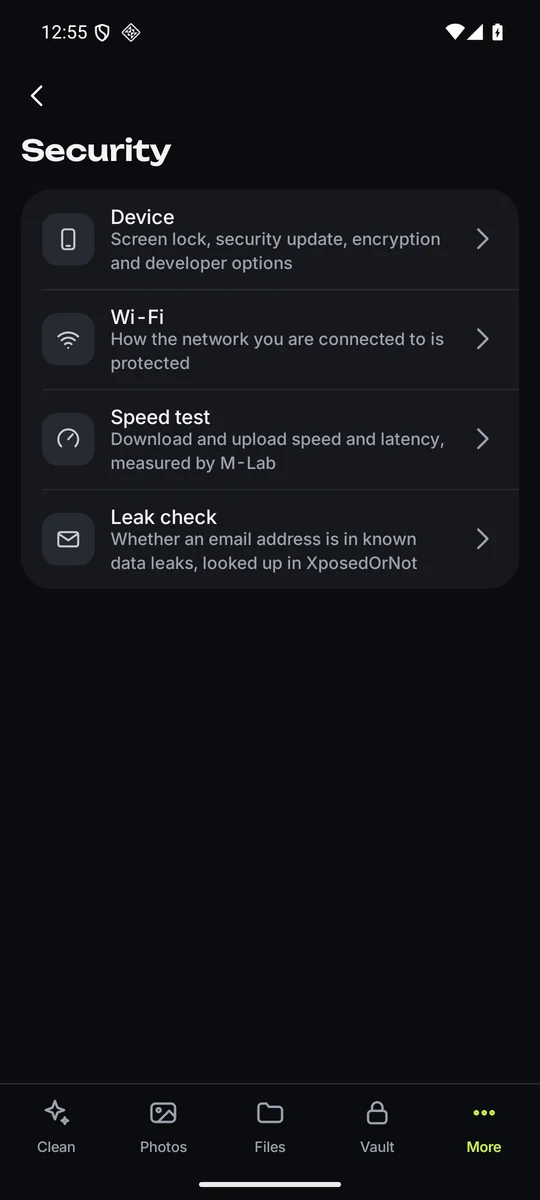
Security tools: device check, Wi-Fi, speed test measured by M-Lab, and leak check in XposedOrNot.
Device check, Wi-Fi, speed and leak check

What Tersio does

Storage at a glance

  • A storage bar: photos and videos, apps, other, free.
  • “Can be freed”: what the scans found, each file counted once.
  • Free up space: only junk files are selected in advance. Photos, videos, downloads and messenger files you choose yourself.

File manager, free

  • Browse internal storage and an SD card as folders with their sizes.
  • Sort by size, date or name; search by name.
  • Open, share, rename, move, copy and delete files and folders; create folders.

Clean up storage

  • Junk files: temporary files and logs, empty folders, thumbnail caches, installer APK files, folders left by removed apps.
  • Large files, old downloads and duplicate files of any type.
  • Messenger media: images, videos, voice notes and documents saved by messenger apps, by type.
  • Apps: size, cache and last use; long-unused apps; removal through the system dialog.
  • App cache: Android’s own dialog clears the cache apps keep in shared storage (Android 11 and later); then the apps with the largest cache, one by one in system settings, with what was freed.

Photos and videos

  • Similar photos in groups, with the best shot marked.
  • Exact duplicates, screenshots, selfies, blurry photos and photos with text.
  • Motion photos: keep just the still picture.
  • Photos grouped by subject: animals, nature, food, transport and more.
  • Videos sorted by size and date, and similar videos.
  • Favourites are never selected automatically.
  • Swipe review: keep or set aside, with undo, by month or by collection. Nothing is deleted until you empty the review bin.
  • Compression: smaller copies of photos and videos saved to your gallery, then an offer to delete the originals.

Vault

  • Photos, videos and contacts behind a four-digit PIN, with biometric unlock where the phone supports it.
  • Photos and videos in the vault are hidden from the gallery and from other apps; contacts leave the phone book only if you choose.
  • Vault files stay only on this phone: removing the app removes them.

More tools

  • Contacts: duplicates by name, phone number or email address, and incomplete contacts.
  • Calendar: past events by year.
  • Statistics: how much space you freed and what you deleted.
  • Device: model, Android version, security update date, processor, screen; battery level, health and temperature.
  • Device check: screen lock, how old the security update is, storage encryption, developer options; the current Wi-Fi network’s encryption type.
  • Speed test by Measurement Lab (M-Lab) and an email check in XposedOrNot, a public database of known data leaks. Both run only when you start them (a watched address is checked again weekly), after a notice of what is sent.
  • Speaker cleaning: a 30-second sound with vibration.
  • Charging animations shown as a screen saver while the phone charges.
  • A home screen widget with used storage.

Your data

Photos, videos, files, contacts and calendar events are analysed on the phone and never uploaded. There is no account and no ads. The app sends usage analytics, install attribution with the advertising ID, purchase events and crash reports to the services named in the privacy policy; installs and in-app events also measure the developer’s ad campaigns.

Privacy policy

Subscription

Scanning, viewing what was found, the file manager, device information and statistics are free. Deleting what the scans find (apps and app cache included), emptying the swipe review bin, keeping only the still of motion photos, compression, contacts and calendar cleanup, the device check, Wi-Fi check, speed test and leak check, speaker cleaning and installing charging animations need a subscription; the vault is free for three moves of photos and videos and three of contacts.

Plans are weekly, monthly or yearly, some with a free trial. It renews automatically; cancel any time in Google Play.

Terms of use